
You are three messages into debugging a failing function. Gemini answers twice, then the chat dies with a single line: Something went wrong (1155). No stack trace. No clue whether the problem is your code, your network, or Google's servers. Alike error can also be fixed at Gemini 1099 bug fix.
This guide covers what Gemini error 1155 usually means, how to tell in 60 seconds whether it is on your side or Google's, the fix order that resolves it for most people, and what to do when you still have code to ship today.
What Is Gemini 1155?
Error 1155 is not a problem with your prompt or your code. It is the client-side message Gemini shows when the request between your browser (or app) and Google's backend fails to complete before an answer is returned.
Google has not published a formal definition of 1155 in its Gemini API troubleshooting documentation. What the reports have in common — in Google's own Gemini Apps community and on r/GoogleGeminiAI — points at the session and network layer:
-Session desync between the Gemini servers and your browser or app. The session is no longer valid, so every new message in that conversation fails. -VPN / proxy traffic that Google's systems flag, breaking the session mid-conversation. -Request rate. Several users report 1155 arriving after a handful of messages in the same conversation rather than on the first one. -One detail worth knowing: some users report Google support describing it as a known issue the team is working on. That matters, because it means there is a class of 1155s that no client-side fix will solve — you can only wait it out.
First: Is Gemini Down, or Is It Just You? (60-Second Triage)
Before you start changing settings, find out which of three problems you actually have.
1.Open gemini.google.com in an incognito window, VPN off. Works? The problem is your browser profile, cache, or an extension. 2.Try the Gemini app on mobile data, VPN off. Works? The problem is your network or your VPN. 3.Check whether the outage is global. Compare the Google AI Studio status page with real-time outage reports from other users. If thousands of people are reporting the same failure at the same moment, stop fixing and wait. 4.Note when it fails. Instantly on load = connection or session. After several messages = session or rate related.
8 Fixes for Gemini 1155, in the Order That Works
Work down the list. Steps 1–4 cost you two minutes and cover most cases.
-
Hard refresh, or reopen in a new tab A stale tab holding a dead session produces 1155 on every send. Use Ctrl/Cmd + Shift + R.
-
Sign out completely, then sign back in Not just closing the tab — use the profile icon in the top-right corner of Gemini, sign out, then sign in again. Community threads list this as the first thing that clears a desynced session.
-
Clear cookies and site data for gemini.google.com only Do not nuke your whole browser profile. Clear site data for that one domain (chrome://settings/content/all → search for gemini.google.com) and reload.
-
Test in incognito, then in a second browser If incognito works and your normal window does not, an extension or a corrupted profile cache is the cause. Disable extensions one at a time, or keep working from a clean profile while the problem persists.
-
Disable your VPN or proxy This is the single most frequently reported trigger. If you need the VPN, do not just turn it off — try a different server in a different region, switch protocol (WireGuard is the most commonly recommended), and set up split tunneling so Gemini's traffic bypasses the tunnel while everything else keeps using it.
-
Change the network and the DNS Switch from Wi-Fi to phone hotspot (or the reverse), and set DNS to 1.1.1.1 or 8.8.8.8. A surprising share of 1155 reports disappear when the DNS resolver changes.
-
For the app: update, clear cache/data, reinstall Settings → Apps → Gemini → Storage → Clear cache, then Clear data, then sign in again. If it still fails, uninstall, reinstall, and restart the device.
-
Check your account and region Confirm Gemini is available in your region without a VPN, review your Gemini Activity for anything unusual, and consider whether you have hit a session or usage limit. If you have worked all eight steps and the error persists, you are most likely in the known-issue group — wait it out and try again in a few hours.
One thing not to do:
hammer the retry button. Repeatedly re-sending into a broken session is widely reported to keep it stuck, and it can trip rate limits on top of the original error.
1155 and the Other "Something Went Wrong" Codes Google does not publish a public mapping for these codes, so treat the table below as the pattern in community reports, not documentation.
Code & What the reports point to
| code | meaning |
|---|---|
| 1155 | Session desync / network-level failure; most often linked to VPN or proxy traffic; also reported mid-conversation after several messages |
| 1152 | Reported in the same VPN and region context as 1155 |
| 1185 / 1100 | Same symptom family — "Something went wrong" with no detail; the fix list above applies |
If you are hitting a different code, the same escalation ladder applies: triage → session → VPN → network → app.
When You Still Have Code to Ship Today
Here is the uncomfortable part: 1155 does not care about your deadline. When Gemini is throttled or down, your bug is still open, and refreshing the tab is not work.
Free AI Powered Coding Assistant
exists for exactly that moment. It is a free-trial coding assistant covering code generation, explanation, translation, review, fixing, regex and diagrams — running on several leading models (GPT, Claude Opus, Fable) in one place.
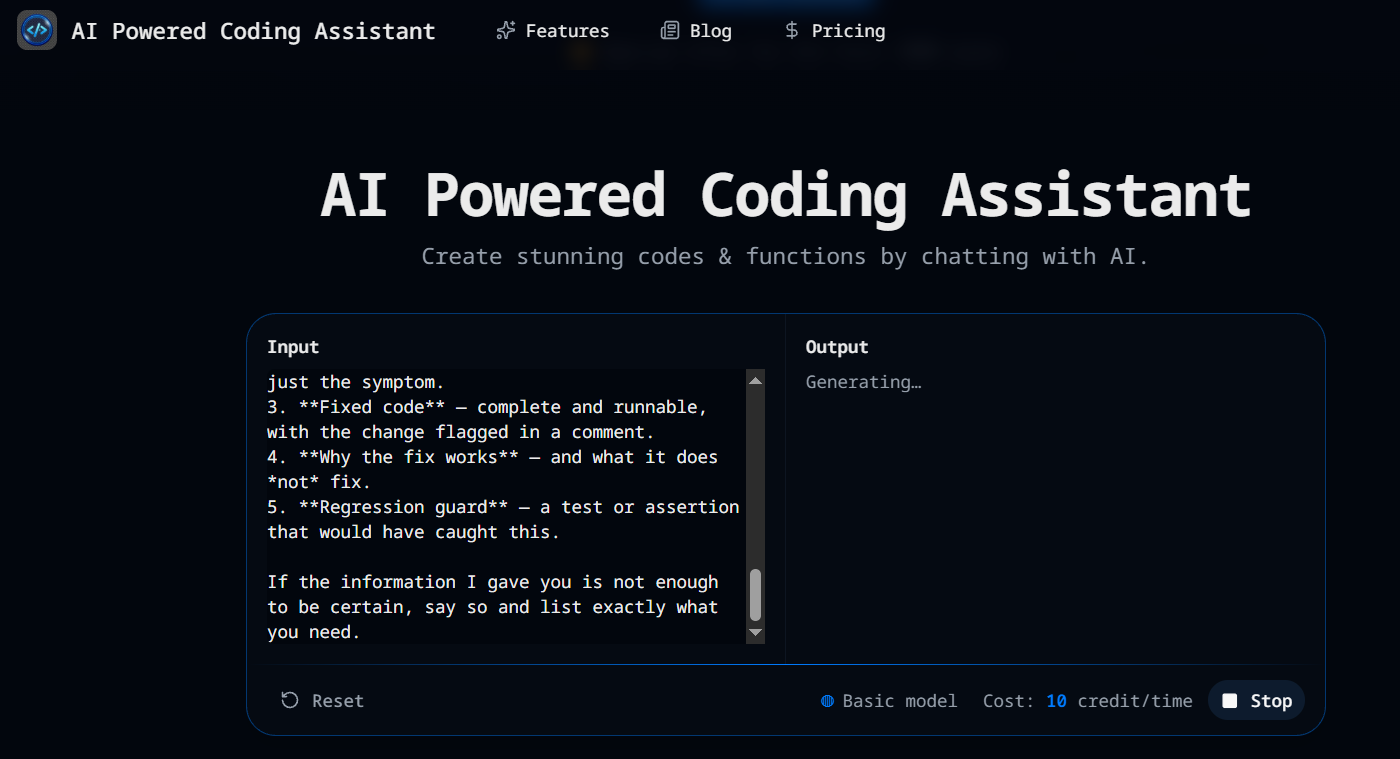
Two ways to use it the next time Gemini error 1155 shows up:
Fix Code. Paste the error message together with the failing code and get a repaired version plus an explanation of what was wrong. That is the same job you were asking Gemini to do — you just do not need Gemini's session to be healthy for it. Explain Code. If you are not even sure what is breaking, ask for a plain-language walkthrough first. It is the same workflow we use in How to Turn Code to Flowchart from AI — understand the control flow, then fix the specific branch. Because the assistant is model-agnostic, an outage on one provider no longer stops your work. You change the model, not your toolchain. Try it at aipoweredcodingassistant.com — the free trial does not require a credit card.
FAQ: Gemini 1155
What does "something went wrong 1155" mean in Gemini?
It means a request to Gemini failed before it produced an answer. It is a session or connection failure, not a problem with your prompt or your code.
Can a VPN cause Gemini error 1155?
It is the most commonly reported cause. Disable the VPN first; if you need it, change server, switch to WireGuard, or split-tunnel so Gemini's traffic bypasses the tunnel.
Why does error 1155 appear only after a few messages?
That pattern points to session or rate problems rather than a broken connection — the first messages work, then the session is invalidated. Sign out and back in, then start a fresh conversation.
Will clearing my cache fix Gemini error 1155?
Sometimes. It is step 3 in the order above, not step 1 — sign out and back in first, since it fixes the same class of problem faster.
Is Gemini down right now?
Check the Google AI Studio status page and compare with real-time outage reports from other users before assuming it is your own setup.
Summary
Gemini 1155 is a session-and-network failure, not a code problem. Sign out and back in, clear site data for gemini.google.com, test in incognito, then work the VPN, network and app steps in order — that resolves it for most users. If all eight steps fail, you are in the known-issue group and only time helps.
And when Gemini is unavailable but your deadline is not, move the task instead of waiting: send the broken code to Helpful AI Powered Coding Assistant and keep shipping.
