AI-generated code comprehension issues are becoming increasingly common as developers rely on AI tools to write more software. While AI coding assistants can generate code in seconds, understanding, reviewing, and maintaining that code remains a challenge. AI coding assistants have made software development faster than ever. Developers can now generate entire functions, build application components, write API integrations, and even create complete projects with a few natural-language instructions.
But there is a growing problem behind this productivity boost: developers can generate code faster than they can understand it.
AI-generated code may look clean, follow familiar programming patterns, and even pass initial tests. However, understanding why it works, how its components interact, and what might break when it changes can be much harder than simply generating it.
This creates a new challenge in modern software engineering: AI-generated code comprehension.
As AI coding tools become part of everyday development workflows, developers need more than code generation. They need reliable ways to explain, review, debug, and maintain the code that AI produces.
In this article, we'll explore why AI-generated code is sometimes difficult to understand, the risks of relying on code you cannot fully explain, and how AI-powered coding assistants can help developers regain control of their code.
1. The Rise of AI-Generated Code
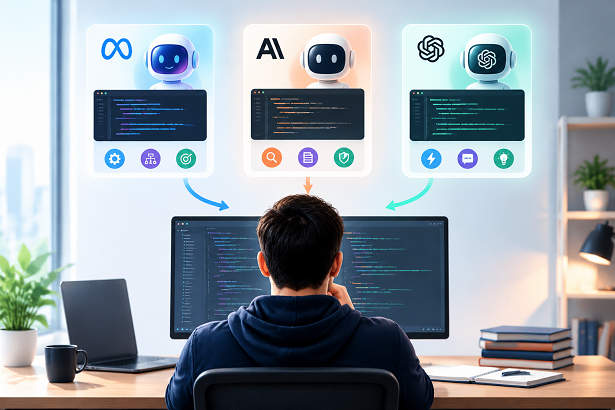
AI has fundamentally changed how developers write software.
Traditional programming requires developers to understand a problem, design an algorithm, write the implementation, test the result, and fix errors. AI coding assistants can now handle many of these steps by interpreting natural-language instructions and generating code automatically.
Developers commonly use AI tools to:
- Generate functions and reusable components.
- Build frontend interfaces and backend APIs.
- Explain unfamiliar programming languages and frameworks.
- Write database queries and API integrations.
- Refactor existing code.
- Identify potential bugs and suggest fixes.
- Generate unit tests and documentation.
This has made AI-assisted programming attractive to professional developers, students, and independent software creators.
However, faster code production does not automatically mean better code understanding.
A developer might ask an AI assistant to build a feature, receive several hundred lines of code, and successfully run the application without understanding every important decision behind the implementation.
The code works, but the developer may not know exactly why.
This gap between code generation and code comprehension is becoming an important issue in AI-assisted software engineering.
2. Common AI-Generated Code Comprehension Issues
AI-generated code is not necessarily more complicated than human-written code. In fact, many AI models can produce readable and well-structured implementations.
The problem is that AI-generated code can introduce unfamiliar patterns, hidden assumptions, unnecessary abstractions, and implementation decisions that developers did not make themselves.
Here are six common reasons developers struggle to understand it.
2.1 Developers Did Not Write the Code Themselves
One of the biggest challenges is the lack of familiarity with the implementation.
When developers write code manually, they usually understand the reasoning behind their decisions. They know why a particular function exists, why a condition is necessary, and why one implementation was chosen over another.
With AI-generated code, the developer may only provide a short instruction such as:
"Create a user authentication system with Google login and database session management."
The AI might generate:
- Authentication configuration.
- Database adapters.
- Session management functions.
- Callback handlers.
- Middleware.
- Error-handling logic.
Although the generated implementation may work, the developer did not necessarily make or understand those individual decisions.
This makes future modifications more difficult.
When something breaks, the developer must first understand code that they never originally designed.
2.2 AI Can Generate Unnecessary Complexity
AI models sometimes produce more code than a task actually requires.
For example, a simple data-processing function might be implemented with several helper functions, multiple conditional branches, additional configuration objects, and unnecessary abstractions.
Consider this JavaScript example:
function calculateTotal(items) {
  return items.reduce((total, item) => {
    const price = Number(item.price || 0);
    const quantity = Number(item.quantity || 0);

    return total + price * quantity;
  }, 0);
}
This function is relatively straightforward. It calculates the total value of a list of items.
However, an AI-generated implementation might introduce multiple conversion helpers, validation layers, and intermediate variables without a clear reason.
Abstraction is not inherently bad. In larger applications, it can improve maintainability.
The problem occurs when developers cannot distinguish useful architectural decisions from unnecessary complexity.
2.3 AI Uses Frameworks and APIs Developers May Not Know
AI coding assistants can generate code using libraries, frameworks, and APIs that developers have limited experience with.
For example, a developer working with Next.js might receive code involving:
- Server Components.
- Client Components.
- Server Actions.
- Middleware.
- Asynchronous data fetching.
- Authentication callbacks.
- Database transactions.
The generated code may use valid patterns, but understanding how these components interact requires knowledge beyond basic JavaScript or React.
This becomes particularly challenging when an AI model combines multiple technologies in one implementation.
Developers may understand each individual function but struggle to understand the entire execution flow.
2.4 Missing Context Makes Code Harder to Understand
AI models generate code based on the context available to them.
If the model does not fully understand the existing project structure, business logic, database schema, or coding conventions, its implementation may not fit naturally into the application.
For example, an AI assistant might generate a database query that works independently but conflicts with an existing data model.
It might also introduce a new utility function when the project already contains a similar implementation.
Without sufficient project context, developers must spend additional time figuring out how generated code relates to the rest of the application.
2.5 Generated Code May Hide Important Assumptions
AI-generated code can make assumptions about:
- Input formats.
- Data types.
- Authentication states.
- API responses.
- Error conditions.
- User permissions.
- Database relationships.
These assumptions may not be obvious from reading the implementation.
For example, a function might assume that an API response always contains a valid user object.
If the API returns null or an unexpected response, the function could fail.
A developer who understands the code only at a surface level might miss this issue.
2.6 Developers Are Reviewing More Code in Less Time
AI-assisted development can increase the amount of code produced during a single development session.
Instead of manually writing one function at a time, developers may generate multiple files, components, and integrations in a short period.
This creates a review bottleneck.
Developers still need to inspect the generated code, verify its behavior, understand its dependencies, and confirm that it meets the original requirements.
When code generation becomes faster than code review, important problems can go unnoticed.
3. The Hidden Risks of Using Code You Don't Understand
Not understanding AI-generated code is more than a learning inconvenience. It can create practical problems throughout the software development lifecycle.
3.1 Debugging Becomes More Difficult
When developers encounter an error in code they wrote themselves, they often have an idea of where the problem might be.
With unfamiliar AI-generated code, they may need to investigate the entire execution flow before identifying the source of a bug.
This can make debugging slower, even when the original code was generated in seconds.
3.2 Maintenance Becomes More Expensive
Software rarely remains unchanged.
Developers eventually need to add features, modify business rules, update dependencies, and improve performance.
If they do not understand the original AI-generated implementation, even a small modification can become risky.
They may accidentally break another function or introduce inconsistent behavior.
3.3 Security Vulnerabilities Can Be Overlooked
AI-generated code is not automatically secure.
It may contain insecure input handling, incorrect authorization checks, unsafe database queries, or inappropriate handling of sensitive information.
Developers who do not understand the implementation may struggle to identify these risks.
Security-sensitive code should always receive appropriate human review and testing.
3.4 Technical Debt Can Accumulate
Technical debt occurs when implementation decisions create additional maintenance work in the future.
AI can accelerate development, but generating code without sufficient review can introduce:
- Duplicate implementations.
- Unnecessary dependencies.
- Inconsistent architecture.
- Poor error handling.
- Incomplete documentation.
- Difficult-to-maintain abstractions.
Over time, these problems can make an application harder to extend.
3.5 Developers May Lose Confidence in Their Own Projects
Another less obvious problem is psychological.
Imagine generating an entire application with AI. Everything works initially, but several weeks later, an important feature stops working.
You open the codebase and discover hundreds of lines of unfamiliar logic.
You know what the application is supposed to do, but you are unsure how its internal components actually work.
This can make developers overly dependent on AI to explain or modify code that AI originally generated.
The goal should not be to avoid AI-generated code. It should be to make sure developers remain capable of understanding and controlling it.
4. AI Code Comprehension vs. Traditional Code Reading
Traditional code comprehension involves reading source code, following execution paths, understanding dependencies, and connecting implementation details to the original requirements.
AI-assisted code comprehension adds another layer: developers can ask an AI model to explain the code in natural language.
These approaches can complement each other.
| Traditional Code Reading | AI-Assisted Code Comprehension |
|---|---|
| Developers manually inspect source code. | AI explains code in natural language. |
| Requires familiarity with the language and framework. | Can help explain unfamiliar languages and frameworks. |
| Developers trace execution manually. | AI can summarize execution flow. |
| Documentation must be found or written. | AI can generate explanations and documentation drafts. |
| Developers identify potential problems manually. | AI can suggest potential bugs and edge cases. |
However, AI explanations should not be treated as unquestionable facts.
An AI model can misunderstand code, overlook dependencies, or provide an incorrect explanation.
The best approach combines AI assistance with direct source-code inspection, testing, and developer judgment.
5. How to Understand AI-Generated Code More Effectively
Developers do not need to stop using AI coding assistants to solve the comprehension problem.
Instead, they can adopt a more structured workflow.
Step 1: Ask AI to Explain the Overall Architecture
Before modifying unfamiliar generated code, ask the AI to explain its structure.
Useful questions include:
- What are the main components of this implementation?
- How do these functions interact?
- What is the execution flow?
- Which files are responsible for each feature?
- What external dependencies does this code use?
Start with the big picture instead of trying to understand every line immediately.
Step 2: Break Complex Code Into Smaller Sections
Large code blocks can be difficult to understand in one pass.
Ask AI to explain individual functions, classes, or modules.
For example:
"Explain this function line by line. Describe its inputs, outputs, dependencies, and any important assumptions."
This makes it easier to identify the purpose of each section.
Step 3: Ask About Important Design Decisions
Understanding what code does is not always enough.
You should also understand why it was implemented in a particular way.
Try asking:
- Why was this approach chosen?
- Is there a simpler implementation?
- What are the advantages and disadvantages?
- Are there alternative algorithms?
- Which parts of this implementation are essential?
These questions help developers evaluate the quality of generated code rather than simply accepting it.
Step 4: Identify Edge Cases and Potential Bugs
Ask AI to inspect the implementation for situations that might cause unexpected behavior.
For example:
"Review this code for null values, invalid input, unexpected API responses, and possible runtime errors."
You can also request examples of inputs that might cause the function to fail.
Remember that AI-generated reviews are suggestions, not proof that the code is correct.
Step 5: Test Your Understanding
One useful technique is to ask AI to create test cases for the code.
You can request:
- Normal input examples.
- Empty input examples.
- Invalid input examples.
- Boundary conditions.
- Unexpected API responses.
Run the tests and compare the actual behavior with the explanation.
This helps verify whether you understand what the code is doing.
Step 6: Document Important Functions and Dependencies
Documentation makes future maintenance easier.
Ask AI to generate concise comments, function descriptions, and explanations of important dependencies.
Do not document every trivial line. Focus on business logic, complicated algorithms, architectural decisions, and non-obvious assumptions.
6. How an AI-Powered Coding Assistant Can Help You Understand Code
An AI coding assistant should do more than generate new code.
It should also help developers understand existing implementations, identify problems, and improve code quality.
This is where AI Powered Coding Assistant can fit into the development workflow.
Instead of treating AI as a tool that only writes code, developers can use an AI-powered coding assistant as a companion for code comprehension and problem-solving.
Explain Code: Turn Unfamiliar Code Into Clear Explanations
When you receive a large code block from an AI model or another developer, you may not immediately understand its purpose.
An AI coding assistant can help explain:
- What each function does.
- How variables and parameters are used.
- How different components interact.
- What the execution flow looks like.
- Which programming concepts are involved.
For example, you can provide a complicated JavaScript function and ask the assistant to explain it step by step.
This is particularly useful for developers learning new frameworks or working with unfamiliar codebases.
Review Code: Identify Potential Problems Before They Grow
Code comprehension also involves evaluating whether an implementation is appropriate.
AI-powered code review can help identify:
- Unnecessary complexity.
- Potential logic errors.
- Duplicate code.
- Missing input validation.
- Possible security concerns.
- Opportunities for refactoring.
A review can also help developers understand why a particular implementation might be problematic.
Fix Bugs: Understand Errors Instead of Just Applying Patches
When AI-generated code fails, developers sometimes ask another AI model to rewrite the entire function.
A better approach is to first understand the underlying problem.
An AI coding assistant can help:
- Interpret error messages.
- Identify potentially problematic code.
- Explain the root cause of an issue.
- Suggest possible solutions.
- Generate corrected code for testing.
This makes debugging a learning process rather than simply replacing one block of generated code with another.
Generate Code With Better Understanding
Code generation remains an important part of AI-assisted development.
However, developers should request explanations alongside generated implementations.
For example, instead of asking:
"Create a user authentication API."
Try:
"Create a user authentication API. Explain the architecture, describe the purpose of each important function, identify security considerations, and provide basic test cases."
This encourages a more transparent development process.
7. The Future of AI-Generated Code: Understanding Will Matter as Much as Generation
AI will likely continue to improve its ability to generate complex software.
Future AI coding assistants may become better at understanding entire repositories, following project conventions, identifying dependencies, and performing multi-step development tasks.
However, better code generation does not eliminate the need for code comprehension.
In fact, as AI agents take on more development responsibilities, understanding their decisions may become even more important.
Developers will increasingly need to:
- Evaluate code produced by autonomous AI agents.
- Understand changes across multiple files.
- Review AI-generated architectural decisions.
- Verify that generated code meets business requirements.
- Identify security and reliability issues.
- Maintain software that combines human-written and AI-generated code.
The most effective developers will not necessarily be those who generate the most code.
They will be the ones who know how to use AI efficiently while maintaining a strong understanding of the software they build.
AI can accelerate implementation, but developers remain responsible for the quality, security, and maintainability of their applications.
8. FAQ: Understanding AI-Generated Code
What Are the Most Common AI-Generated Code Comprehension Issues?
AI-generated code can be difficult to understand because developers may not know the reasoning behind its implementation. It can also introduce unfamiliar frameworks, unnecessary abstractions, hidden assumptions, and dependencies that are not fully explained.
Is AI-generated code harder to maintain?
Not necessarily. Well-structured AI-generated code can be readable and maintainable. However, code generated without sufficient context, review, documentation, or testing can introduce technical debt and make future maintenance more difficult.
Can AI explain its own generated code?
Yes. AI models can explain functions, variables, algorithms, dependencies, and execution flows. However, explanations may contain mistakes, so developers should verify important details against the actual source code and test results.
How do I understand code generated by ChatGPT or Claude?
Start by asking the model to summarize the overall implementation. Then request explanations of individual functions, important dependencies, design decisions, and potential edge cases. You can also ask it to generate test cases to help verify your understanding.
Can AI help developers debug unfamiliar code?
Yes. AI coding assistants can analyze error messages, inspect relevant code, suggest possible root causes, and propose fixes. Providing the surrounding code and relevant error logs generally produces more useful results.
Does AI-generated code increase technical debt?
It can. When developers accept generated code without reviewing its architecture, complexity, dependencies, and maintainability, technical debt can accumulate. However, AI can also help reduce existing technical debt through refactoring and code review.
Should developers stop using AI coding assistants?
No. AI coding assistants can improve productivity, accelerate learning, and reduce repetitive programming work. The important thing is to understand, review, and test the code rather than blindly trusting generated output.
What is the best way to review AI-generated code?
A good review process includes understanding the implementation, checking its logic, reviewing dependencies, identifying security risks, running automated tests, and verifying that the code meets the original requirements.
9. Final Thoughts
AI-generated code is changing how software is built, but faster code generation introduces a new responsibility: understanding what AI creates.
Developers should not measure productivity only by how many lines of code AI can generate. They should also consider whether they can explain, debug, review, and maintain that code.
The future of software development is not simply about writing code with AI. It is about collaborating with AI while retaining control over the software.
Whether you are working with a small JavaScript function or a complex application, an AI-powered coding assistant can help you move beyond code generation.
Use aipoweredcodingassistant.com to explore AI-assisted code generation, code explanations, code reviews, and bug fixing.
Generate code faster. Understand it better. Build with confidence.