
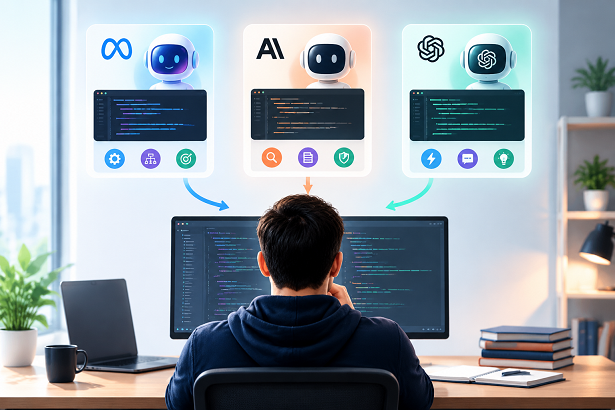
AI coding has moved well beyond simple autocomplete.
Today, developers can ask an AI model to generate an entire function, explain unfamiliar code, find bugs, refactor a component, review an implementation, or even work through a large multi-step software task. The difficult part is no longer finding an AI model. It is choosing the right model for the job.
Meta's new Muse Wonder has entered the competition alongside models such as Claude Opus 5.5 and advanced GPT models. Meta describes Muse Wonder as a frontier model designed for agentic tasks, including coding, while Anthropic positions Claude Opus 5.5 specifically for long-running agentic coding and knowledge work.
For developers who do not want to switch between different AI products, AI Powered Coding Assistant provides a browser-based workflow for generating, explaining, translating, reviewing, and fixing code with multiple AI models.
So which model should you actually use?
The answer depends less on which model has the biggest benchmark number and more on what you are trying to accomplish.
1. What Muse Wonder Actually Is
Muse Wonder is one of Meta's newest frontier AI models, introduced alongside the more powerful Muse Wonder Full.
Meta designed the Wonder family for agentic work—tasks where the model needs to understand a goal, plan several steps, use tools, recover from errors, and continue working rather than simply produce a single response. Meta specifically highlights coding as one of the model family's target areas.
Two capabilities are particularly important for coding:
Active Memory
Muse Wonder includes what Meta calls Active Memory, which allows important information from previous interactions to remain relevant during an extended task.
For software development, this can be useful when a task involves:
- Multiple files
- Existing project conventions
- Previous debugging attempts
- Long conversations
- Requirements that need to remain consistent
Active Focus
Muse Wonder also introduces Active Focus, designed to keep the model working toward a goal when the task becomes difficult.
Instead of stopping after the first failed approach, the model can attempt another strategy, recover from errors, and continue toward the requested result.
This makes Muse Wonder particularly interesting for longer coding workflows, rather than only short prompts such as:
Write a Python function that reverses a string.
However, Muse Wonder is not automatically the best model for every coding request.
The better question is what follows.
2. The Real Question: Which Model Fits Which Coding Task?
There is no universal best AI coding model.
A model that is excellent at debugging a large application may be unnecessary for generating a small JavaScript function. Conversely, a fast and inexpensive model may not be the right choice when you are trying to understand a complicated architectural problem.
Think about coding tasks in four categories:
| Coding Task | What Matters Most |
|---|---|
| Simple code generation | Speed, correctness, cost |
| Debugging | Reasoning and root-cause analysis |
| Refactoring | Context understanding and consistency |
| Large projects | Long context and agentic behavior |
| Code review | Reasoning and attention to edge cases |
| Learning/explanation | Clarity and teaching ability |
| Complex architecture | Planning and reasoning |
This is why a multi-model coding assistant can be useful.
Instead of committing yourself to one model for every task, you can choose a model according to the difficulty of the problem.
Simple task? Use an efficient model.
Complex debugging? Use a stronger reasoning model.
Large, multi-step coding task? Consider a frontier agentic model such as Muse Wonder or Claude Opus 5.5.
3. Muse Wonder vs Claude Opus 5.5 vs GPT: A Side-by-Side Look
Muse Wonder, Claude Opus 5.5, and advanced GPT models are all capable of serious programming work, but they approach the problem from slightly different directions.
Muse Wonder
Meta positions Muse Wonder as a frontier model for agentic tasks, with particular attention to long-running work, tool use, memory, and coding. Muse Wonder is available through the Meta Model API and Muse Code.
Best suited for:
- Long-running coding tasks
- Multi-step development
- Complex debugging
- Tool-assisted workflows
- Large projects
- Tasks requiring persistent context
Muse Wonder is especially interesting if you want an AI coding partner that can continue working through a problem rather than simply answer one prompt.
Claude Opus 5.5
Anthropic describes Claude Opus 5.5 as its strongest Opus model for agentic coding and long-running knowledge work. It has a 1-million-token context window and supports up to 128K output tokens.
Best suited for:
- Large codebases
- Refactoring
- Debugging
- Code review
- Long coding sessions
- Complex software engineering tasks
Claude Opus 5.5 is particularly attractive when you want the model to inspect a large amount of code and reason about changes before modifying it.
GPT
Advanced GPT models remain a strong general-purpose option for software development.
They are useful when you need a combination of:
- Code generation
- Explanation
- Debugging
- Translation between languages
- Refactoring
- General reasoning
- Fast iteration
For everyday coding questions, a GPT model can often provide everything you need without requiring the most expensive frontier model.
The Practical Comparison
| Model | Strongest Use Case | Good For | Consideration |
|---|---|---|---|
| Muse Wonder | Agentic, multi-step work | Complex coding, debugging, long tasks | Newer ecosystem |
| Claude Opus 5.5 | Deep software engineering | Large codebases, refactoring, agents | Higher-end model |
| GPT | General-purpose coding | Generation, explanation, debugging, everyday development | Choose model tier based on complexity |
The important takeaway is that model selection should follow task complexity.
Don't use a frontier model to write ten lines of CSS if a lightweight model can do it correctly.
4. What Muse Wonder Costs — and When You Don't Need to Pay
Muse Wonder is available through Meta's Model API with token-based pricing.
The published API price is:
- $4 per million input tokens
- $20 per million output tokens
- $0.20 per million cached input tokens
The pricing is therefore comparable to Claude Opus 5.5, which Anthropic also lists at $4 per million input tokens and $20 per million output tokens.
But API pricing is not the only way to think about the cost of AI coding.
The real question is:
Do you need the most powerful model for every request?
Usually, the answer is no.
For example:
You probably don't need a frontier model for:
- Writing a basic map function
- Converting JavaScript to TypeScript
- Creating a simple regex
- Explaining a short function
- Generating a basic SQL query
- Fixing an obvious syntax error
- Creating boilerplate
For these tasks, a lower-cost model can be much more efficient.
A stronger model makes more sense for:
- Debugging an unfamiliar application
- Refactoring a large component
- Understanding complicated state management
- Fixing bugs involving multiple files
- Designing application architecture
- Reviewing security-sensitive code
- Working through a long multi-step implementation
This is where a multi-model interface becomes useful.
AI Powered Coding Assistant uses a credit-based system, allowing developers to choose among available AI coding models instead of managing separate coding workflows for every model. Its public interface supports tasks such as Generate Code, Explain Code, Translate Code, Review Code, and Fix Code.
The site also provides a free trial, making it possible to test the workflow before committing to a paid plan.
5. How to Run a Coding Task in the Browser, Step by Step
You do not necessarily need to install an AI coding extension or configure an API before trying an AI coding workflow.
With AI Powered Coding Assistant, you can start directly in the browser.
Step 1: Open the Coding Assistant
Go to:
https://aipoweredcodingassistant.com/
The homepage provides an AI coding interface where you can enter your programming requirements and generate a response.
Step 2: Choose Your Task
Select the type of coding task you want to perform.
Common options include:
- Generate Code
- Explain Code
- Translate Code
- Review Code
- Fix Code
- Regex Generator
- Diagram Generator
- Cron Expression
Choosing the task first helps structure the request around the type of result you need.
Step 3: Describe the Problem
Instead of writing:
Fix my code.
Give the model useful context.
For example:
I have a Next.js 15 application using TypeScript. This API route returns a 500 error when the user submits an empty form. Please identify the likely cause, provide the corrected code, and explain the change.
The more relevant context you provide, the more useful the result is likely to be.
Step 4: Select a Model
Choose an available model according to the complexity of your task.
For example:
Simple task → efficient GPT model
Difficult debugging → Claude Opus or another advanced model
Long, complex agentic work → Muse Wonder or another frontier model when available
The advantage is that you can change models without changing your overall workflow.
Step 5: Generate the Result
Click Generate Now.
The assistant produces the requested code, explanation, review, or fix.
Step 6: Test the Result
Never blindly copy AI-generated code into production.
Run it locally and check:
- Does it compile?
- Does it pass your tests?
- Does it preserve existing behavior?
- Does it introduce security problems?
- Does it handle edge cases?
- Does it match your project's architecture?
AI coding assistants accelerate development, but the developer remains responsible for validating the final implementation.
6. Which Model Should You Start With? Decision Guide by Use Case
If you're not sure which model to select, start with the simplest model that can reasonably solve the problem.
I need a small function.
Start with GPT.
For straightforward functions, utilities, transformations, or boilerplate, an efficient general-purpose model is usually enough.
I need to understand this code.
Start with GPT or Claude.
Paste the relevant code and ask the model to explain:
- What the code does
- How the data flows
- Potential problems
- How it could be improved
You don't necessarily need a frontier model for a small code sample.
My application has a difficult bug.
Try Claude Opus 5.5 or Muse Wonder.
Give the model:
- Relevant source code
- Error messages
- Expected behavior
- Actual behavior
- Recent changes
For difficult bugs, reasoning ability is generally more important than raw response speed.
I need to refactor a large codebase.
Consider Claude Opus 5.5 or Muse Wonder.
Large refactoring requires understanding relationships between components rather than changing isolated lines.
Long-context and agentic capabilities can become particularly valuable here. Claude Opus 5.5 is explicitly designed for long-running agentic coding and supports a 1M-token context window.
I am building a new application.
Start with GPT, then move up when necessary.
You can use an efficient model for:
- Boilerplate
- Components
- Utility functions
- Documentation
Then switch to a stronger model for:
- Architecture
- Complex state management
- Authentication
- Database design
- Difficult debugging
I want an AI coding agent to work through a complicated task.
Try Muse Wonder or Claude Opus 5.5.
This is the area where frontier agentic models become particularly interesting.
Muse Wonder is designed to plan work, use tools, delegate portions of a task, recover from errors, and continue working toward a goal.
A Simple Decision Tree
Is the coding task simple?
        |
       Yes
        ↓
  Use an efficient GPT model
        |
       No
        ↓
Does it involve difficult debugging or refactoring?
        |
       Yes
        ↓
 Claude Opus 5.5 / advanced model
        |
       No
        ↓
Is it a long, multi-step agentic task?
        |
       Yes
        ↓
 Muse Wonder / Claude Opus 5.5
The best workflow isn't necessarily one model forever.
It is the right model for each task.
7. Muse Wonder Coding FAQ
What is Muse Wonder?
Muse Wonder is a frontier AI model from Meta designed for agentic tasks, including software development. Meta introduced it together with Muse Wonder Full in October 2026.
Is Muse Wonder good for coding?
Yes. Coding is one of the use cases Meta specifically highlights for the Wonder family. The model is designed for complex, multi-step tasks rather than only simple text generation.
Is Muse Wonder better than Claude Opus 5.5?
There is no universal winner.
Muse Wonder and Claude Opus 5.5 are both frontier-level models aimed at complex work. Their relative performance can vary depending on the benchmark, programming language, task, context, and workflow.
For that reason, testing both models on your own real coding tasks can be more useful than relying on a single benchmark.
How much does Muse Wonder cost?
Meta's Model API pricing is currently listed at $4 per million input tokens and $20 per million output tokens, with cached input priced at $0.20 per million tokens.
Is Claude Opus 5.5 expensive?
Claude Opus 5.5 is priced at $4 per million input tokens and $20 per million output tokens through Anthropic's API.
Should I always use the most powerful coding model?
No.
Using a frontier model for every tiny coding task can be unnecessary and inefficient. Use a lighter model for straightforward work and reserve the strongest models for tasks where additional reasoning and context understanding can make a meaningful difference.
Can I use different AI models for different coding tasks?
That's one of the most practical approaches.
For example:
- GPT → everyday coding
- Claude Opus → difficult debugging and refactoring
- Muse Wonder → complex agentic workflows
A multi-model coding assistant makes this approach easier because you can keep the same interface while changing the model.
Do I need to install anything to try AI coding?
Not necessarily.
You can use a browser-based coding workflow such as AI Powered Coding Assistant without first setting up a local AI development environment.
8. Try the Workflow Free
The biggest mistake when comparing AI coding models is asking:
Which model is the best?
A better question is:
Which model is best for the coding problem I have right now?
Muse Wonder brings a new frontier option for long-running agentic work. Claude Opus 5.5 is built specifically for demanding coding and knowledge-work sessions. GPT models remain versatile choices for everyday programming.
You don't have to choose one model forever.
Instead, match the model to the task.
For a simple function, start efficiently.
For difficult debugging, move up to a stronger reasoning model.
For large, multi-step development work, consider a frontier agentic model.
And if you want to experiment with different AI coding models through a simple browser workflow, try AI Powered Coding Assistant.
Start with the free trial, give it a real coding problem, and see which model works best for your development workflow.
